Chall
"Writeup of CTF Forensics - Basic concepts of image."
An Image?
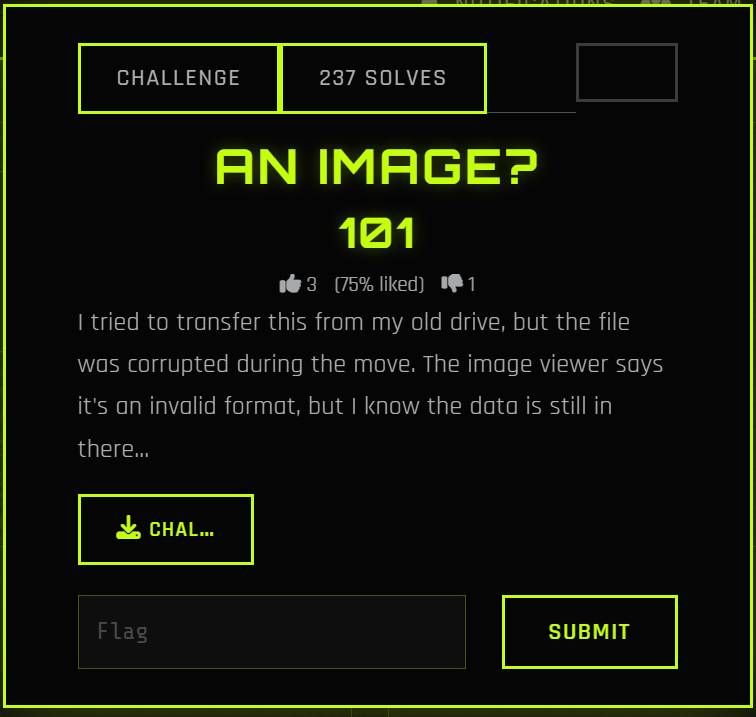
I tried to transfer this from my old drive, but the file was corrupted during the move. The image viewer says it's an invalid format, but I know the data is still in there...
sudo apt install libimage-exiftool-perl binwalk

$ file chall.png
chall.png: OpenPGP Public Key

binwalk -e chall.png

DECIMAL       HEXADECIMAL     DESCRIPTION
--------------------------------------------------------------------------------
109           0x6D            Zlib compressed data, best compression

exiftool chall.png
ExifTool Version Number         : 12.40
File Name                       : chall.png
Directory                       : .
File Size                       : 1172 bytes
File Modification Date/Time     : 2026:03:07 18:00:28+07:00
File Access Date/Time           : 2026:03:07 18:00:57+07:00
File Inode Change Date/Time     : 2026:03:07 18:00:28+07:00
File Permissions                : -rw-rw-r--
Error                           : File format error
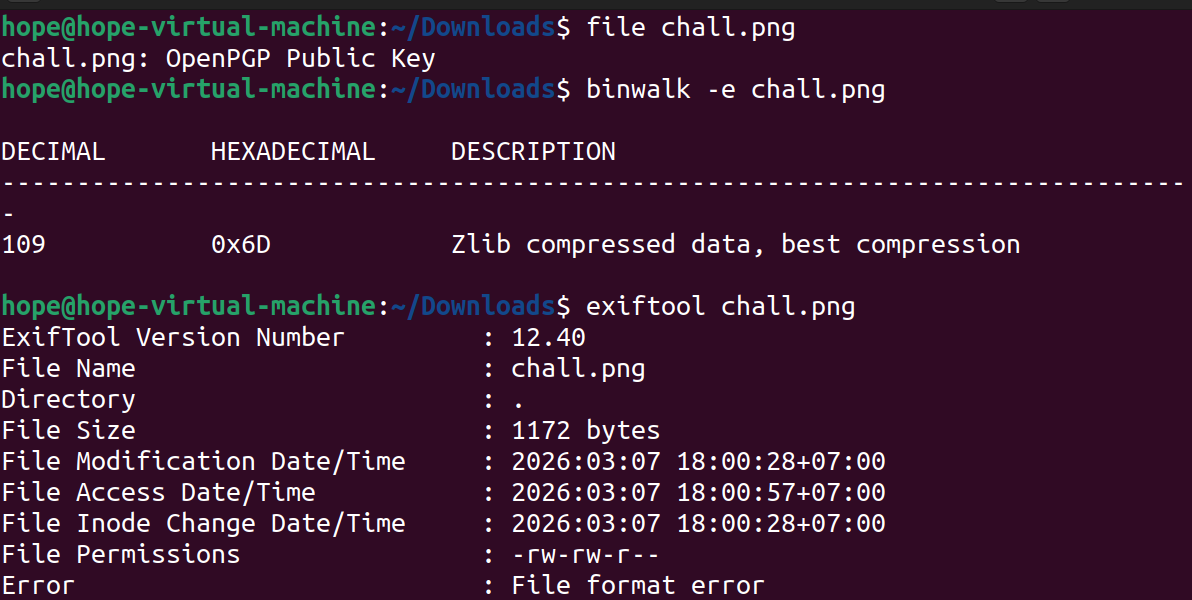
file chall.png detail is OpenPGP Public Key: This mean that 8 bytes inital of file are overwrited by signature of PGP insted of PNG 89 50 4E 47
binwalk find Zlib compressed data at 0x6D (109): In PNG, data of image in blocks IDAT, and these zip by Zlib. Therefore, binwalk found Zlib is a proof data still in image, this only change header some hex bytes errors.
head -c 32 chall.png | xxd
00000000: 9a61 5f58 0d0a 1a0a 0000 000d 4948 4452  .a_X........IHDR
00000010: 0000 027b 0000 027b 0103 0000 00a1 fac5  ...{...{........

sudo apt update
sudo apt install hexedit -y
hexedit chall.png
Edit 8 bytes header: 89 50 4E 47 0D 0A 1A 0A
After change, find IHDR. If it don't appear in that, you need to edit next bytes from 12th to 49 48 44 52 - hex of IHDR
Script:
with open("chall.png", "rb") as f:
    data = f.read()
png_header = b"\x89\x50\x4E\x47\x0D\x0A\x1A\x0A"
fixed_data = png_header + data[8:]
with open("fixed_chall.png", "wb") as f:
    f.write(fixed_data)
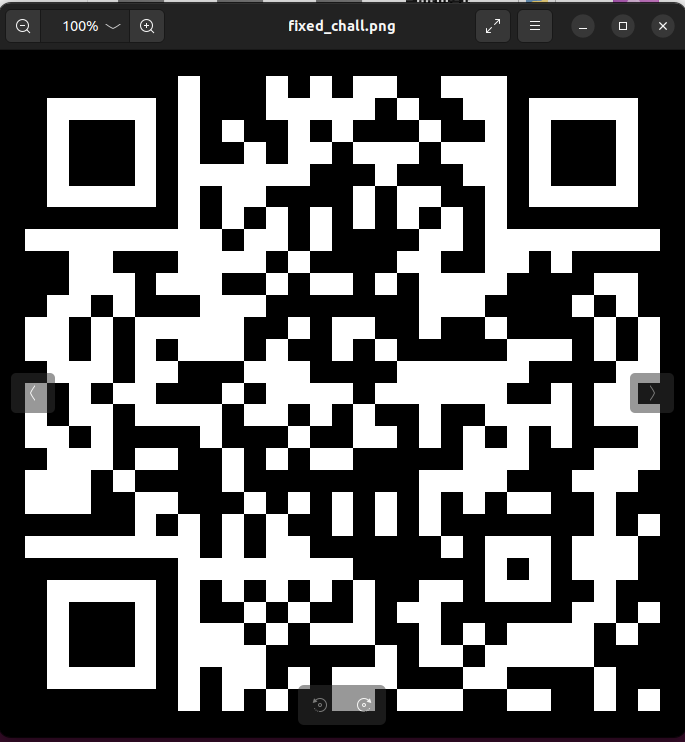
When I use my phone to scan QR of image, it transfer me to web browser and provide a base64 string dGFjaHlvbntjaGFuZ2VfdGhlX2hlYWRlcj99
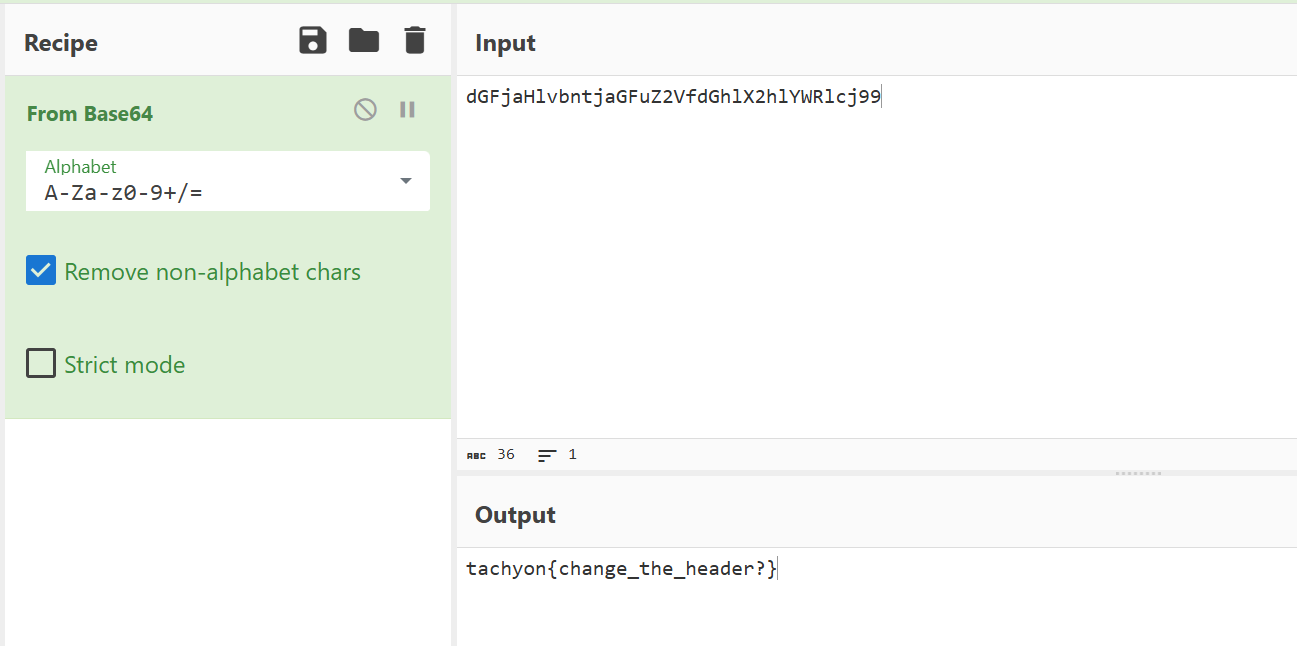
Flag is: tachyon{change_the_header?}
Writeup: An Image? (Forensics)¤
1. Challenge Description¤
A corrupted image file was provided. The goal is to repair the file structure to reveal the hidden information (Flag).
2. Tools Used¤
file,binwalk,exiftool: File analysis.xxd: Hexdump tool.Python 3: Scripting for file repair.Base64: Final decoding.
3. Analysis¤
Initial Triage¤
Using the file command reveals a mismatch:
The file signature is recognized as an OpenPGP Key. However, binwalk shows internal image components:
In PNG files, image data is stored in IDAT chunks and compressed using Zlib. This confirms that the image payload is intact, but the header is corrupted.
Hex Investigation¤
Inspecting the first 32 bytes with xxd:
- Observed Bytes:
9a 61 5f 58 - Expected PNG Magic Bytes:
89 50 4e 47 0d 0a 1a 0a - The presence of the
IHDRstring at offset 12 confirms this is indeed a PNG file with a tampered header.
4. Solution¤
Method: Python Header Repair¤
We can patch the file by overwriting the first 8 bytes with the correct PNG signature:
with open("chall.png", "rb") as f:
    original_data = f.read()

# Standard PNG Header
png_header = b"\x89\x50\x4E\x47\x0D\x0A\x1A\x0A"

# Construct the fixed file
fixed_data = png_header + original_data[8:]

with open("fixed_chall.png", "wb") as f:
    f.write(fixed_data)
5. Result & Flag¤
Opening the repaired file reveals a QR Code. Scanning it yields the following Base64 string:
dGFjaHlvbntjaGFuZ2VfdGhlX2hlYWRlcj99
Decoding the string:
Flag: tachyon{change_the_header?}