An Image?
I tried to transfer this from my old drive, but the file was corrupted during the move. The image viewer says it’s an invalid format, but I know the data is still in there…
sudo apt install libimage-exiftool-perl binwalk

$ file chall.png
chall.png: OpenPGP Public Key

binwalk -e chall.png

DECIMAL       HEXADECIMAL     DESCRIPTION
--------------------------------------------------------------------------------
109           0x6D            Zlib compressed data, best compression

exiftool chall.png
ExifTool Version Number         : 12.40
File Name                       : chall.png
Directory                       : .
File Size                       : 1172 bytes
File Modification Date/Time     : 2026:03:07 18:00:28+07:00
File Access Date/Time           : 2026:03:07 18:00:57+07:00
File Inode Change Date/Time     : 2026:03:07 18:00:28+07:00
File Permissions                : -rw-rw-r--
Error                           : File format error
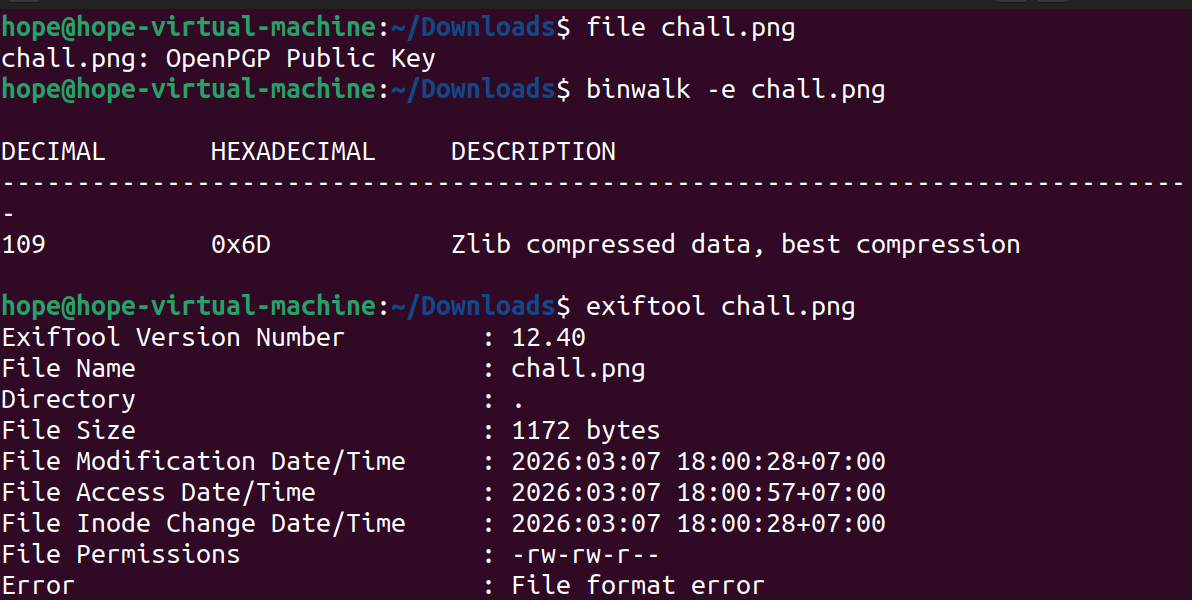
file chall.png detail is OpenPGP Public Key: This mean that 8 bytes inital of file are overwrited by signature of PGP insted of PNG 89 50 4E 47
binwalk find Zlib compressed data at 0x6D (109): In PNG, data of image in blocks IDAT, and these zip by Zlib. Therefore, binwalk found Zlib is a proof data still in image, this only change header some hex bytes errors.
head -c 32 chall.png | xxd
00000000: 9a61 5f58 0d0a 1a0a 0000 000d 4948 4452  .a_X........IHDR
00000010: 0000 027b 0000 027b 0103 0000 00a1 fac5  ...{...{........

sudo apt update
sudo apt install hexedit -y
hexedit chall.png
Edit 8 bytes header: 89 50 4E 47 0D 0A 1A 0A
After change, find IHDR. If it don’t appear in that, you need to edit next bytes from 12th to 49 48 44 52 - hex of IHDR
Script:
with open("chall.png", "rb") as f:
    data = f.read()
png_header = b"\x89\x50\x4E\x47\x0D\x0A\x1A\x0A"
fixed_data = png_header + data[8:]
with open("fixed_chall.png", "wb") as f:
    f.write(fixed_data)
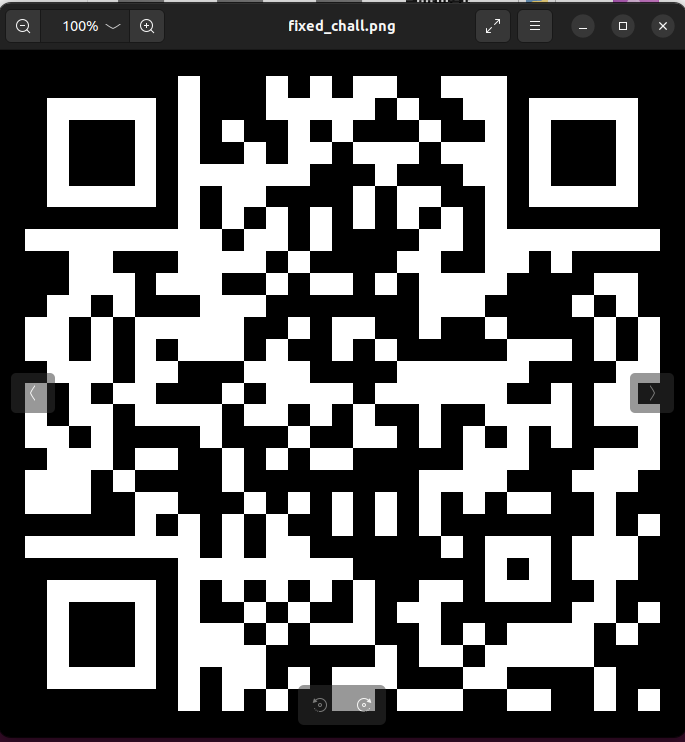
When I use my phone to scan QR of image, it transfer me to web browser and provide a base64 string dGFjaHlvbntjaGFuZ2VfdGhlX2hlYWRlcj99
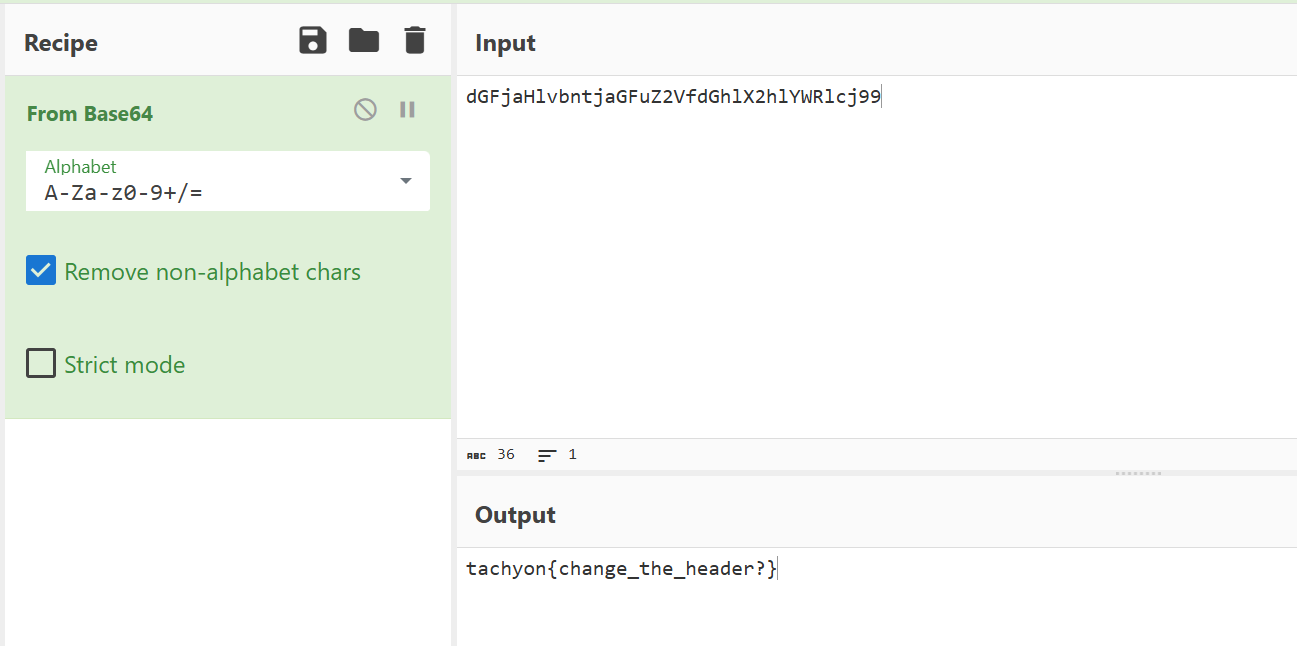
Flag is: tachyon{change_the_header?}
Writeup: An Image? (Forensics)
1. Challenge Description
A corrupted image file was provided. The goal is to repair the file structure to reveal the hidden information (Flag).
2. Tools Used
file,binwalk,exiftool: File analysis.xxd: Hexdump tool.Python 3: Scripting for file repair.Base64: Final decoding.
3. Analysis
Initial Triage
Using the file command reveals a mismatch:
$ file chall.png
chall.png: OpenPGP Public Key
The file signature is recognized as an OpenPGP Key. However, binwalk shows internal image components:
$ binwalk chall.png
109           0x6D            Zlib compressed data, best compression
In PNG files, image data is stored in IDAT chunks and compressed using Zlib. This confirms that the image payload is intact, but the header is corrupted.
Hex Investigation
Inspecting the first 32 bytes with xxd:
$ head -c 32 chall.png | xxd
00000000: 9a61 5f58 0d0a 1a0a 0000 000d 4948 4452 .a_X........IHDR- Observed Bytes:
9a 61 5f 58 - Expected PNG Magic Bytes:
89 50 4e 47 0d 0a 1a 0a - The presence of the
IHDRstring at offset 12 confirms this is indeed a PNG file with a tampered header.
4. Solution
Method: Python Header Repair
We can patch the file by overwriting the first 8 bytes with the correct PNG signature:
with open("chall.png", "rb") as f:
    original_data = f.read()

# Standard PNG Header
png_header = b"\x89\x50\x4E\x47\x0D\x0A\x1A\x0A"

# Construct the fixed file
fixed_data = png_header + original_data[8:]

with open("fixed_chall.png", "wb") as f:
    f.write(fixed_data)
5. Result & Flag
Opening the repaired file reveals a QR Code. Scanning it yields the following Base64 string:
dGFjaHlvbntjaGFuZ2VfdGhlX2hlYWRlcj99
Decoding the string:
$ echo "dGFjaHlvbntjaGFuZ2VfdGhlX2hlYWRlcj99" | base64 -d
tachyon{change_the_header?}
Flag: tachyon{change_the_header?}